
Canva
All-in-one design workspace with AI-assisted tools
What is Canva?
Canva is a browser-based design platform that brings templates, editing tools, and AI features into a single workspace. It supports image, video, presentation, and print workflows alongside collaborative features intended for teams. The product surface covers both quick social assets and longer-form documents.
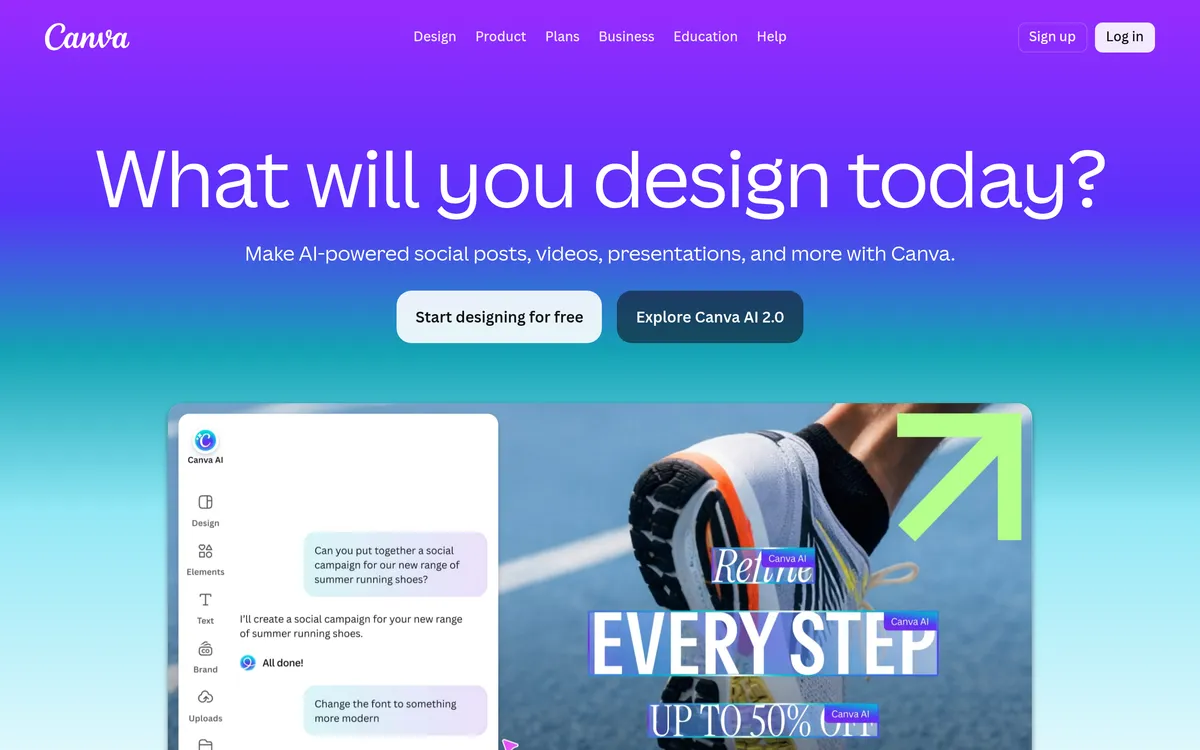
The platform integrates multiple AI-assisted utilities that can generate and refine content from text prompts and image inputs. Its AI toolkit includes writing assistants and image-generation or -editing tools to speed creative iterations. Recent updates emphasize orchestration where the assistant can plan tasks and call the appropriate tools for editable outcomes.
Image and video editing are built into the same environment, with tools for background removal, photo cleanup, upscaling, and video templating. These features are positioned to make single-operator design and quick production easier without switching apps. The video toolkit also includes captioning and editor workflows for turning clips into finished content.
Canva groups team controls and brand assets into managed areas so teams can keep designs consistent and hand off final edits. The Visual Suite is presented as a unified workflow for creation and collaboration, and Brand Kit elements help maintain on‑brand materials. Integrations and scheduling features are mentioned as ways to bring context from calendars, files, or communications into design drafts.
Canva Features
AI-assisted design orchestration
An assistant can accept text prompts and coordinate multiple design tools to produce editable options. It uses layered outputs so the resulting designs remain adjustable and can call other integrations to add contextual content. The assistant can access external context when enabled to build drafts that reflect files or meeting data.
Magic image editing and layer workflows
Layer-based tools let you convert static images into editable layouts and remove unwanted elements for cleaner compositions. The platform pairs Magic Layers with an eraser tool so elements can be isolated, removed, or replaced without rebuilding a page. These tools aim to keep edits nondestructive so designers can tweak results after generation.
Photo enhancement and AI image generation
Canva supplies both enhancement tools and generative image features to support print and digital work. Users can sharpen images, upscale details, or ask the AI generator to produce assets for use in templates and prints. These options are intended to bridge simple retouching and full-fledged image creation in one workflow.
Video creation, templating, and captions
Video workflows include templates for trending formats, a timeline editor, and features to convert clips into ready-to-publish content. The editor supports trimming and assembly, and AI-powered captioning to boost accessibility and engagement. These tools are presented to streamline turning source footage into social or presentation videos.
Brand management and unified team workflows
Brand Kit and the Visual Suite are positioned as centralized ways to store assets, templates, and guidelines for consistent output across teams. The Visual Suite collects creation and collaboration tools so teams can manage design lifecycle in one place powered by AI. Templates and brand controls are intended to reduce repetitive setup for repeatable communications.
Pricing
Pricing not verified
User reviews
No reviews yet. Be the first to review this tool.
Log in to write a review.