
FlowSavvy
AI calendar that fits tasks around meetings and deadlines
Basic plan
Auto-schedules up to 2 weeks ahead
Up to 3 repeating auto-scheduled tasks and 5 task lists. One set of scheduling hours.
Pro plan
$10 USD/mo billed yearly or $14 USD/mo billed monthly
Auto-schedules up to 8 weeks ahead.
Pricing
Free plan; paid from $10/mo (annual)
- Build a schedule around the deadlines and priorities on a to-do list.
- Flexible task blocks move around rescheduled meetings and new commitments.
- Keep in mind: Apple Reminders sync is limited to one-way imports into FlowSavvy.
What is FlowSavvy?
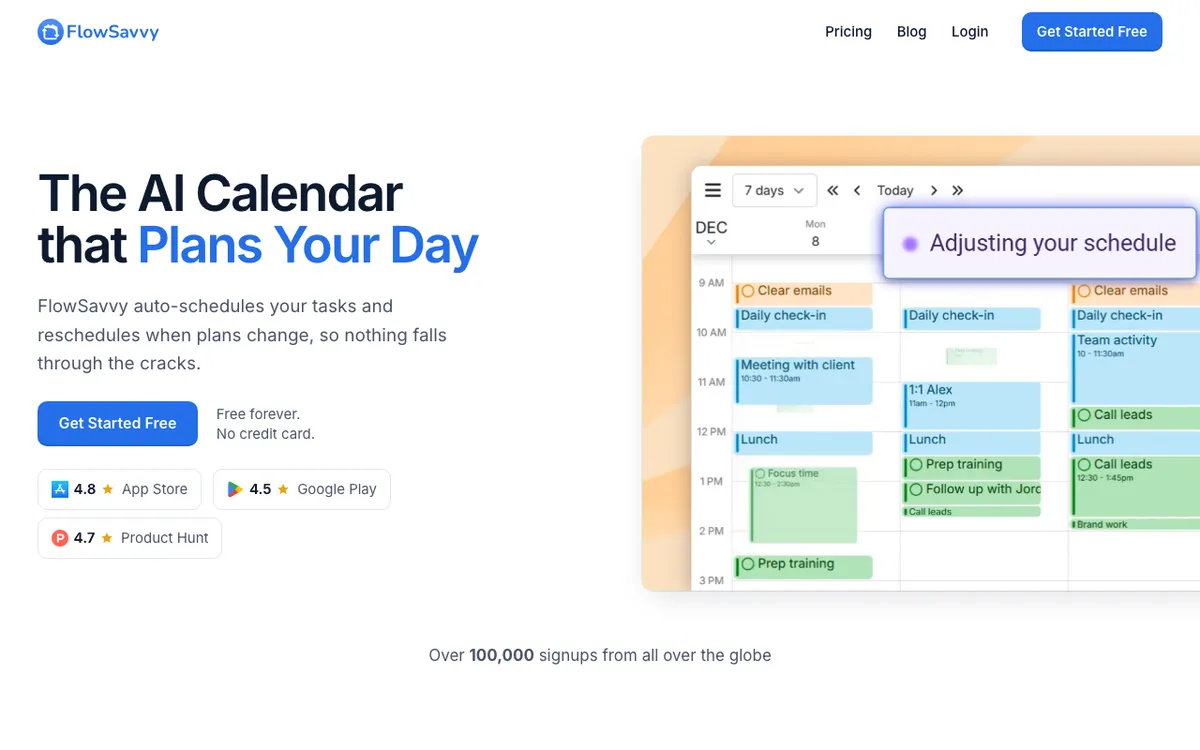
FlowSavvy builds a personal work schedule from a to-do list and the events already on the calendar. It uses due dates and task priorities to place work into time blocks, so a writer or marketer can see where a draft or campaign brief fits into the week. It brings in tasks from Todoist, Google Tasks, Microsoft To Do, or Apple Reminders and schedules them around events in Google Calendar, Outlook, or iCloud.
When a meeting moves, FlowSavvy shifts flexible task blocks around it. If work slips, recalculating the schedule finds new time for missed tasks. Custom scheduling hours define when tasks can land, and creators can set aside time for recurring work such as preparing a weekly newsletter.
Fit to-dos into the calendar
- Task splitting breaks work into smaller blocks that can fit between calendar events.
- Workload balancing gives users a choice between scheduling tasks early and spreading work over several days.
- Overcommitment warnings flag tasks that are on track to miss their deadlines, so users can see where the schedule needs adjusting.
- Buffer time leaves room for a break between tasks or a pause after a meeting.
Adjust the schedule when plans change
- Missed-task recalculation puts unfinished work back on the calendar without rebuilding the schedule by hand.
- Drag-and-drop locking fixes an auto-scheduled task at the time the user chooses.
- Custom scheduling hours keep flexible task blocks within designated times, such as work hours or evenings.
Connect existing task apps and calendars
- Two-way task sync keeps Todoist, Microsoft To Do, or Google Tasks up to date alongside FlowSavvy, so users can keep their usual to-do app.
- Two-way calendar sync keeps calendar events current across FlowSavvy and a connected Google Calendar, Outlook.com, or iCloud calendar.
Plan by chat or automate workflows
- Claude and ChatGPT connections let users manage tasks and their schedule from a conversation.
- Zapier and public API connections let users link FlowSavvy to other apps or build custom automations.
User reviews
No reviews yet. Be the first to review this tool.
Log in to write a review.
Details on this page are for reference only and may be out of date or inaccurate. Check FlowSavvy's official website for current features and pricing.
Join the Aivolut newsletter
Occasional practical AI tips, app updates, and offers. Unsubscribe anytime.