
Hailuo AI
Generate short video shots from written prompts and references
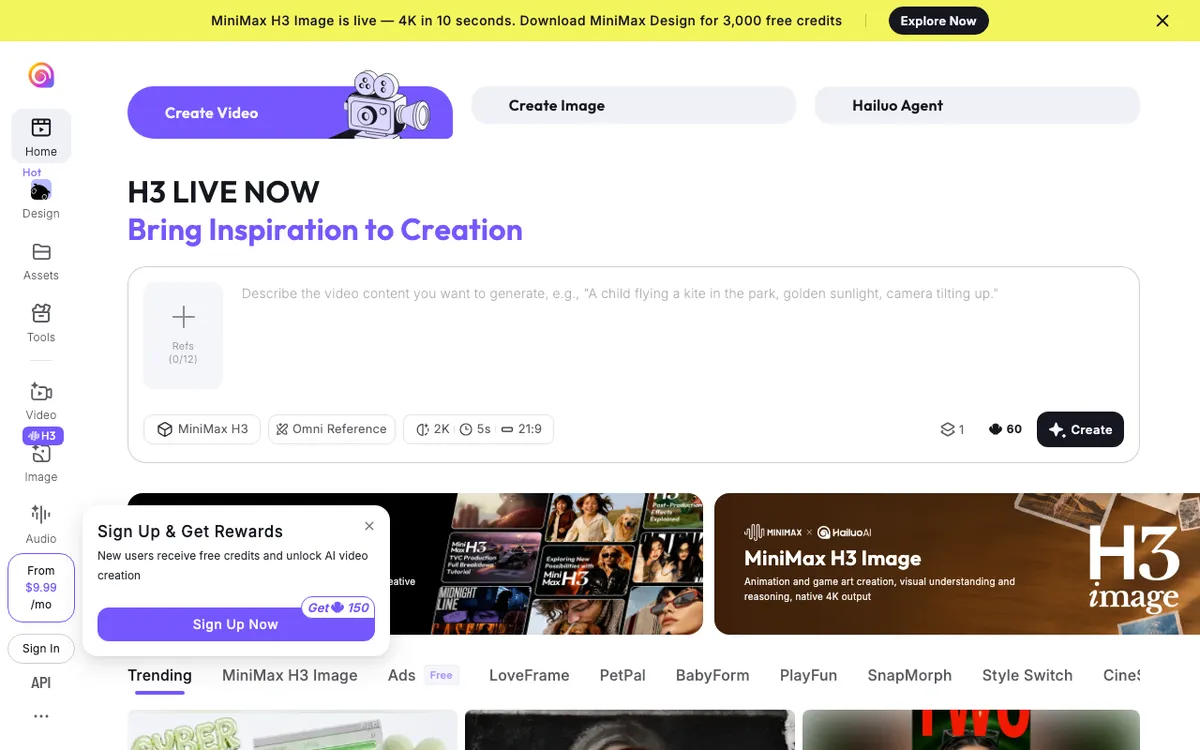
MiniMax H3 clip setup
2K, 5 seconds
Settings shown in Omni Reference mode.
Pricing
Pricing not verified
- Describe the action and how to film it to preview a shot with MiniMax H3.
- Use reference material to guide the shot and a wide frame to show the subject in its surroundings.
What is Hailuo AI?
Hailuo AI generates short video clips from written scene descriptions with MiniMax H3. Writers can preview how a scripted moment might play on screen, and marketers can make a sample shot for a campaign pitch. A prompt can describe the setting, the action, the lighting and the movement of the camera.
Omni Reference lets creators add reference material alongside the written description to guide the shot. The generator shows a widescreen setup for compositions where the surroundings matter to the action. The site also lists hands-on MiniMax H3 tutorials for creators learning the workflow.
Turn a written scene into a video shot
- Setting and lighting prompts let creators see how a written action might look in a particular location and light.
- Camera directions in the prompt let creators specify a move such as an upward tilt as part of the shot.
Guide and frame the shot
- Omni Reference inputs give creators a way to add reference material alongside the prompt. The generator shows 12 reference slots.
- 21:9 widescreen framing gives an establishing shot room to show the location and the action together.
User reviews
No reviews yet. Be the first to review this tool.
Log in to write a review.
Details on this page are for reference only and may be out of date or inaccurate. Check Hailuo AI's official website for current features and pricing.
Join the Aivolut newsletter
Occasional practical AI tips, app updates, and offers. Unsubscribe anytime.