
Hemingway
Hemingway makes your writing concise and correct.
What is Hemingway?
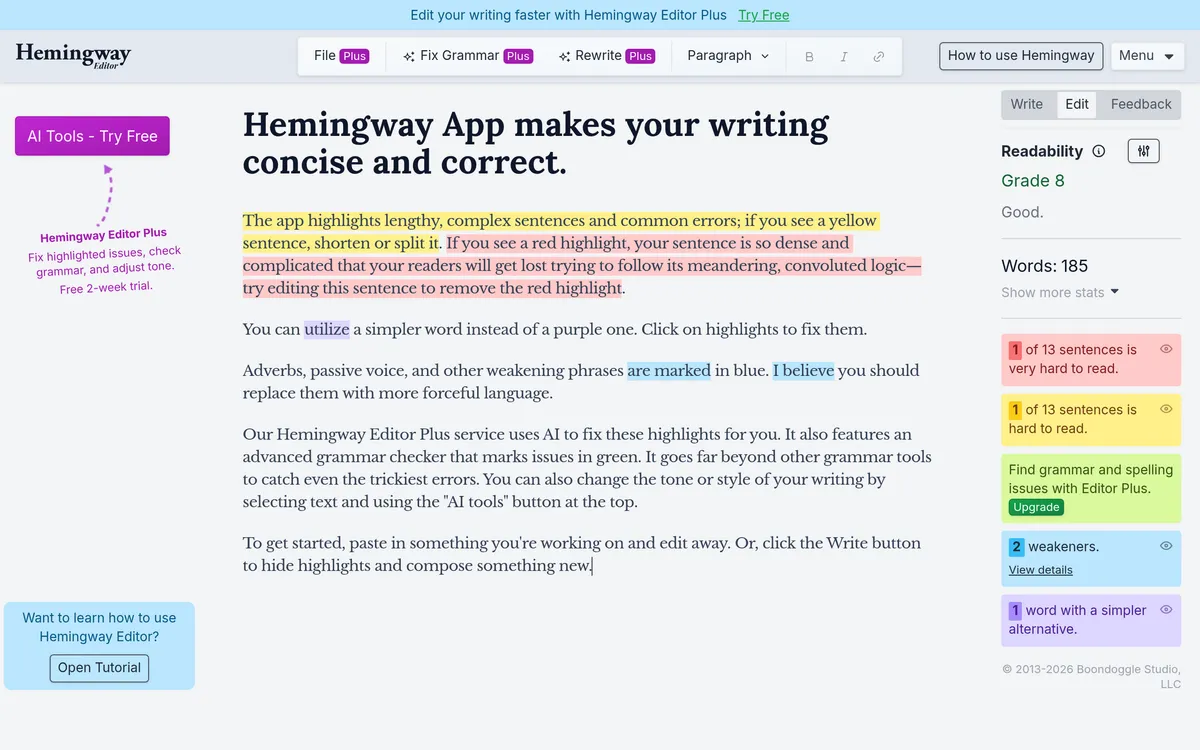
Hemingway App makes your writing concise and correct. The app highlights lengthy, complex sentences and common errors; it marks adverbs, passive voice, and other weakening phrases in blue.
It also features an advanced grammar checker that marks issues in green. The app supports pasting existing text to edit or hiding highlights to compose new writing.
Hemingway Features
highlights lengthy, complex sentences and common errors;
marks issues in green.
uses AI to fix these highlights for you.
Adverbs, passive voice, and other weakening phrases are marked in blue.
utilize a simpler word instead of a purple one.
What is Hemingway used for?
- ✓paste in something you're working on and edit away.
- ✓hide highlights and compose something new.
- ✓change the tone or style of your writing
Pricing
Contact for pricing
Writing & EditingwritingeditinggrammarconciselanguageAIapp
User reviews
No reviews yet. Be the first to review this tool.
Log in to write a review.