
Kittl
AI design editor for brand graphics, product labels, and social ads
Pricing
Pricing not verified
- Use a reference image to give new artwork the same visual style.
- Adapt a label template to the product and download the finished design for printing.
What is Kittl?
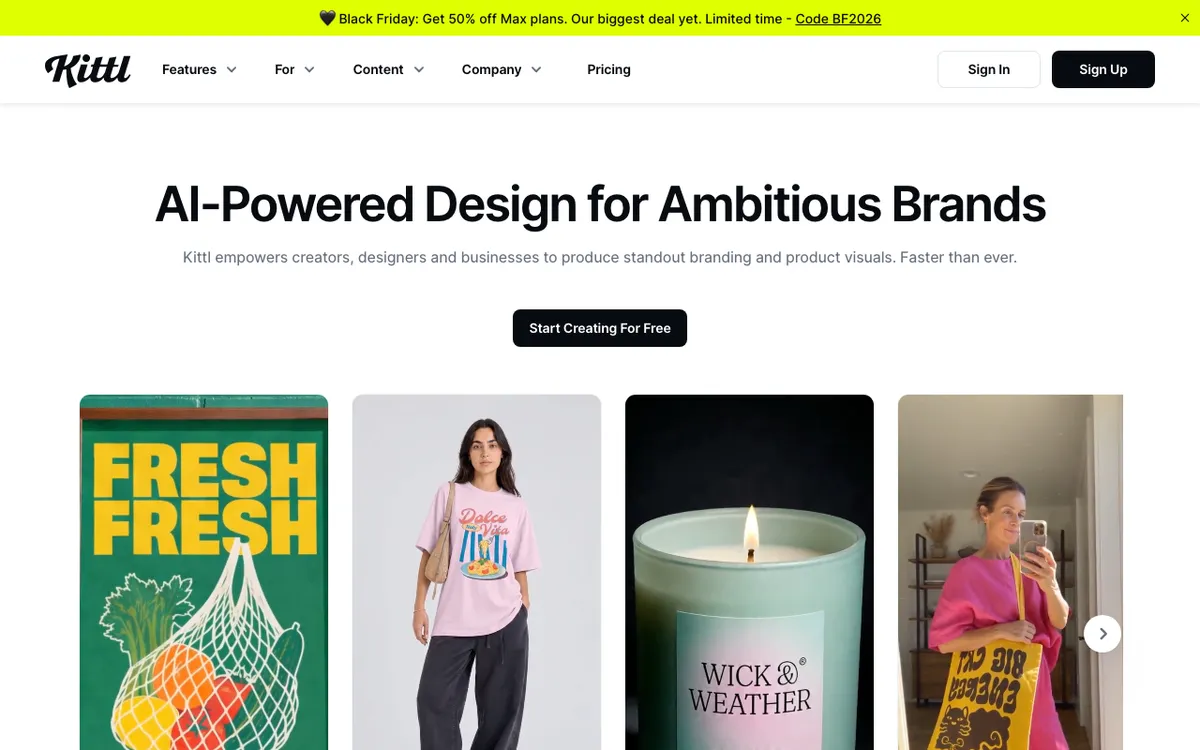
Kittl is an AI-assisted design tool for creators and businesses making brand graphics and product visuals. It turns written prompts into images that can be refined in the same workspace. With Image Restyle, an uploaded reference guides the look of new artwork so creators can build on an established visual style.
The editor removes backgrounds, upscales images, and gives designers precise control over vector artwork. Sellers can customize a label template with their logo and product details, then download the design for printing. Marketers can create product visuals and social ads for the same launch.
Build a consistent set of brand graphics
- Text-to-image generation gives a written concept a visual starting point that creators can refine in the editor.
- Image Restyle combines an uploaded reference with a new prompt so fresh artwork fits an existing look.
- Matching asset sets generate a group of icons, numerals, or illustrations at once so the pieces share a style.
- Saved styles carry a chosen look into new projects and prompts so later assets stay consistent.
Take a product label from layout to print
- Product label layouts provide starting designs for candles, jars, bottles, and soap, with a blank canvas for custom dimensions.
- Barcode and QR code placement keeps codes and ingredient lists in the same layout as the rest of the product information.
- On-product mockups let sellers check how a label looks on the item before downloading the print file.
Clean up images and refine vector artwork
- Background and element removal clears unwanted parts of an image so the subject can be reused in a new layout.
- Image upscaling increases the resolution of low-resolution artwork for use at a larger size.
- Built-in vectorizer converts images into vector artwork without leaving the editor.
- Precision vector editing lets designers fine-tune shapes before exporting a design.
Create visuals for listings and social ads
- AI product scenes place a label design on a candle, jar, or bottle to create a product shot for a shop.
- Social ad creation gives marketers promotional graphics they can use alongside a product listing.
- AI video generation adds moving visuals to a set of still images and mockups.
Review visual concepts on a shared board
- Rearrangeable board frames let teams reorder concepts and move between versions as a design develops.
- Live image board links give collaborators a shared view for reviewing work and providing feedback in real time.
User reviews
No reviews yet. Be the first to review this tool.
Log in to write a review.
Details on this page are for reference only and may be out of date or inaccurate. Check Kittl's official website for current features and pricing.
Join the Aivolut newsletter
Occasional practical AI tips, app updates, and offers. Unsubscribe anytime.