
Microsoft Clarity
Investigate user behavior with session recordings, heatmaps, and AI summaries
Grouped AI session summaries
Up to 250 recordings at once
Pricing
Pricing not verified
- Inspect session recordings and page heatmaps to understand user journeys.
- Use interaction and error signals to focus on visits that need closer investigation.
- Keep in mind: Conversion heatmaps that identify which elements drove purchase conversions are available for Shopify only.
What is Microsoft Clarity?
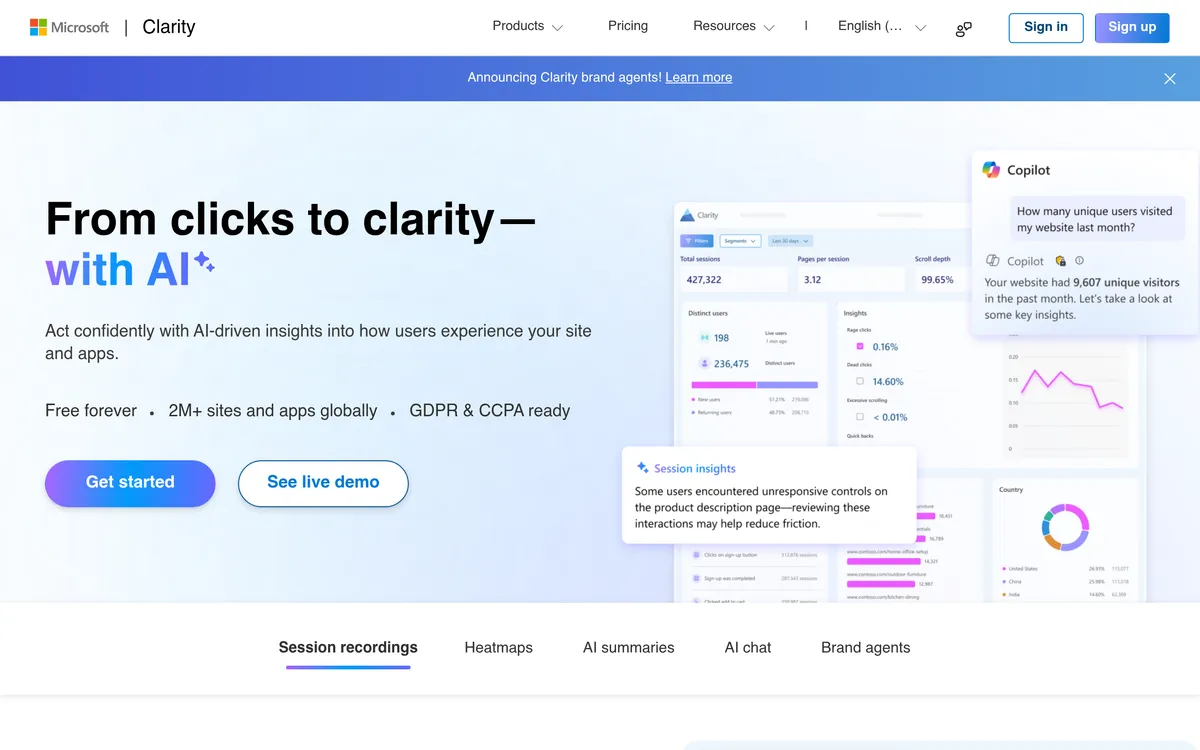
Microsoft Clarity helps website teams investigate user behavior with session recordings, heatmaps, and AI-assisted analysis. Recordings show how a visit unfolds, with highlights pointing to key moments. Click and scroll heatmaps reveal which parts of a page attract attention, while comparisons show how behavior differs across page versions, segments, and time periods.
Teams can focus their investigation using signals such as repeated clicks, clicks that produce no response, and rapid returns to a previous page. Error filters narrow recordings to sessions with JavaScript or image problems. Copilot adds plain-language session takeaways, summaries across groups of recordings, and conversational answers based on dashboard data, helping teams turn recorded behavior into a clearer set of issues to examine.
See how people move through a website
- Session recordings and highlights Follow visits and jump to key moments when investigating where people get stuck.
- Click and scroll heatmaps See which page areas receive interaction and how far visitors reach.
- Side-by-side heatmap comparisons Compare page versions, user segments, or time frames to investigate differences in behavior.
Find sessions with signs of friction
- Frustration signals Identify repeated clicks, unresponsive clicks, and quick returns to a previous page.
- Error-focused recording filters Narrow sessions to JavaScript or image errors and inspect what happened beforehand.
Summarize behavior and ask questions about the data
- Session takeaways Generate plain-language summaries of recorded visits to reduce manual review time.
- Grouped recording summaries Summarize up to 250 recordings together to look for common trends.
- Dashboard data chat Ask a question and receive a response grounded in the project’s dashboard information.
User reviews
No reviews yet. Be the first to review this tool.
Log in to write a review.
Details on this page are for reference only and may be out of date or inaccurate. Check Microsoft Clarity's official website for current features and pricing.
Join the Aivolut newsletter
Occasional practical AI tips, app updates, and offers. Unsubscribe anytime.