
VoiceCap
Meeting transcripts, AI summaries, and searchable decisions
Free plan
300 recording minutes
Unlimited members and unlimited free viewers.
Supported languages
100+
VoiceCap detects the language automatically.
Pricing
Free plan; paid plans available
- Record in-person discussions or have a note taker join online calls automatically.
- Review the recap and next steps, then share meeting notes or export them for a working brief.
- Keep in mind: SSO, SAML, SCIM provisioning, and configurable retention are still on the roadmap for Business workspaces.
What is VoiceCap?
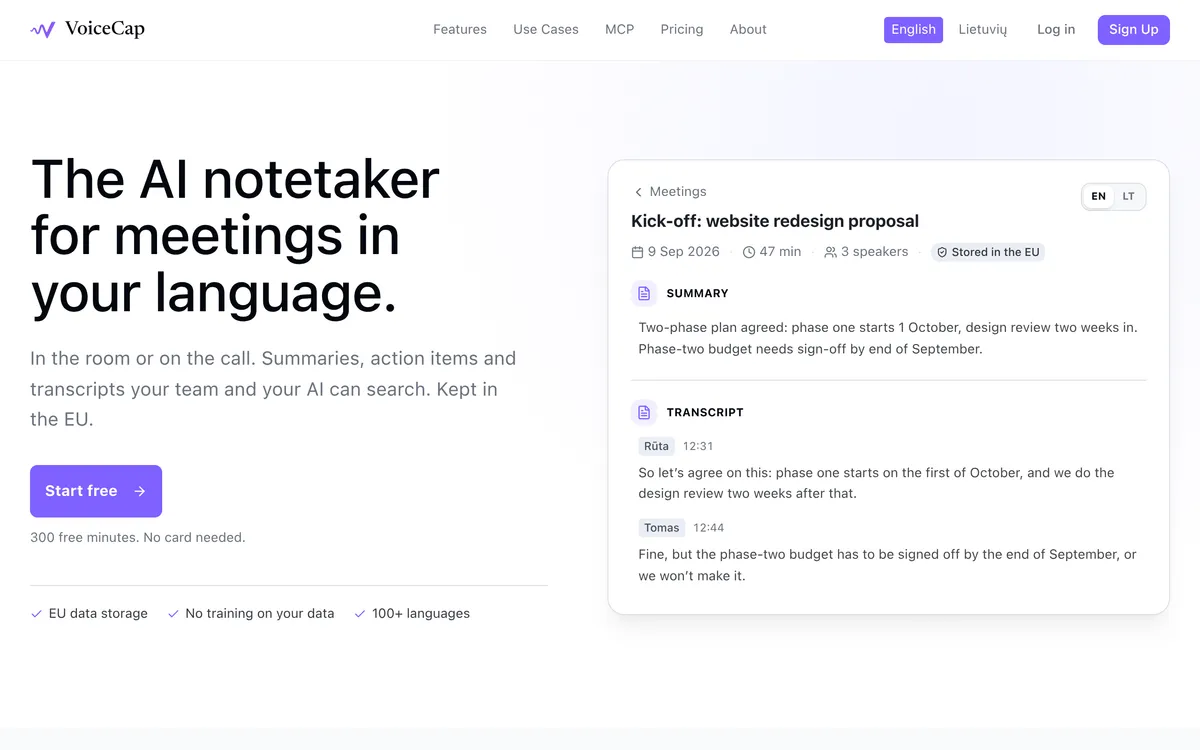
VoiceCap records meetings and turns them into transcripts, AI summaries, and action items. It captures in-person discussions, can join online calls automatically, and accepts audio or video files. Speaker separation helps writers and creators follow who said what in a recorded interview or group discussion.
Marketing and editorial teams can search transcripts, summaries, and decisions, then jump to the moment a point came up. They can share meeting notes with colleagues or export them as Markdown or plain text for a brief. Through VoiceCap’s MCP connection, Claude and ChatGPT can answer questions about past meetings and link to the relevant moment.
Capture meetings and interviews
- Recording on iOS and Android captures an in-person interview or discussion from a phone.
- Audio and video uploads bring in existing recordings and separate speakers so individual contributions are easier to follow.
- Calendar-based recording uses Google or Outlook calendars to capture scheduled Google Meet, Zoom, Microsoft Teams, or Webex calls.
Prepare and share meeting follow-up
- Summaries and action items give teammates a recap and a list of next steps to review after the meeting.
- Decision extraction pulls agreements out of the discussion so teammates can review what the group settled on.
- Markdown and plain-text exports let writers bring meeting material into a draft or brief.
- Meeting visibility controls let users keep a recording private, share the meeting with a group, or open it to the whole workspace.
Find specific moments in past meetings
- Automatic project filing groups meetings by what was discussed, saving teammates from sorting each meeting by hand.
- Timestamped search links matches in transcripts, summaries, and decisions to the moment they came up so readers can check the context.
Ask Claude or ChatGPT about past meetings
- Answers linked to the recording let users check the exchange an assistant drew on before relying on its answer.
User reviews
No reviews yet. Be the first to review this tool.
Log in to write a review.
Details on this page are for reference only and may be out of date or inaccurate. Check VoiceCap's official website for current features and pricing.
Join the Aivolut newsletter
Occasional practical AI tips, app updates, and offers. Unsubscribe anytime.