
Exploring the Types of System Software and Their Key Functions
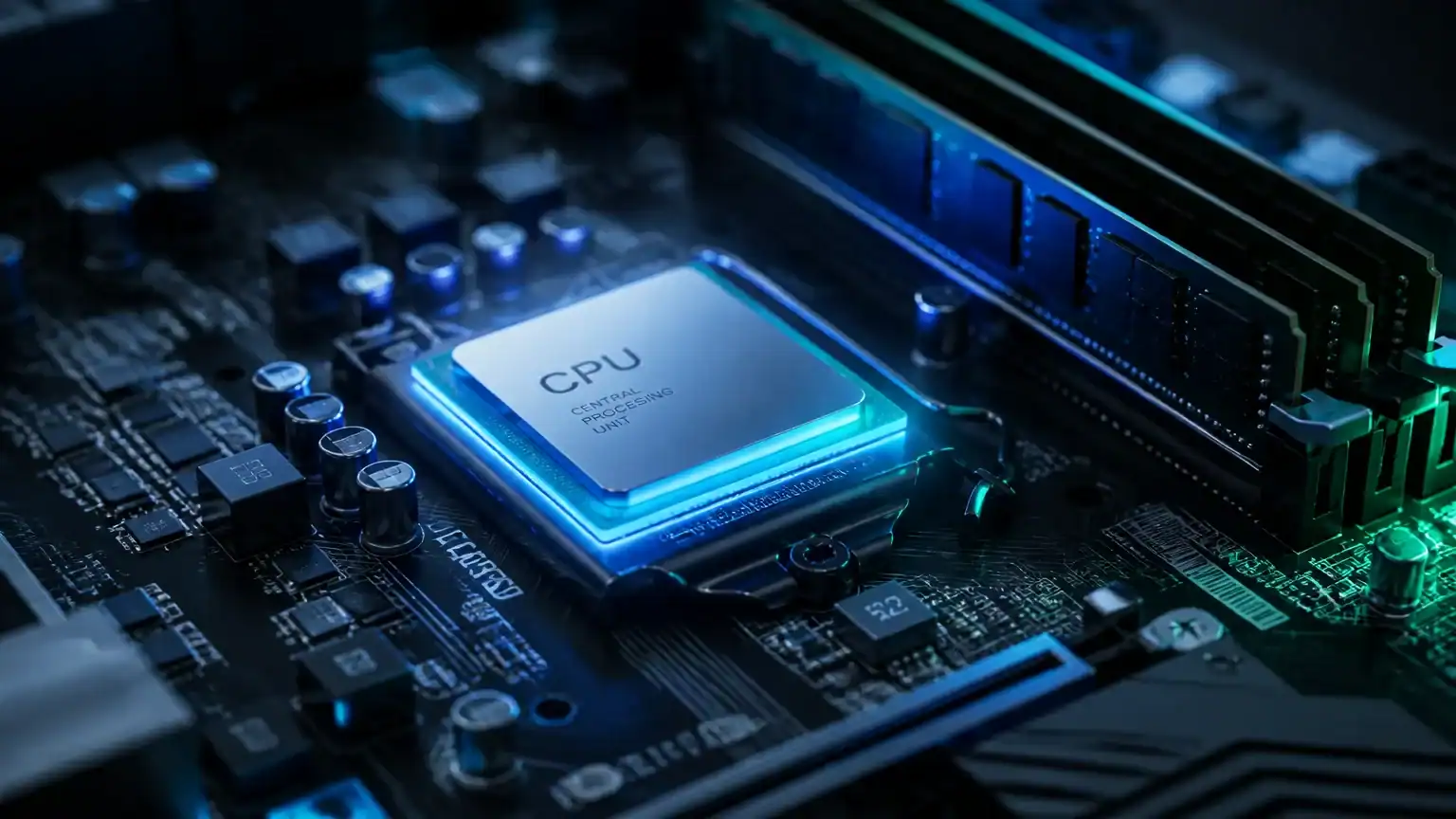
System software serves as the unsung hero of your computer, acting as a bridge between hardware and application software. It’s the magic glue that ensures everything runs smoothly, from your favorite apps to the hardware they depend on. Understanding the different types of system software can significantly optimize resource management for businesses, making operations more efficient and effective.
In today’s digital landscape, where businesses increasingly rely on AI solutions, robust system software is more crucial than ever. It not only supports application functionality but also enhances overall performance and security. Think of it as the foundation of a house; without it, everything else could come crashing down!
Exploring the various types of system software will equip you with the knowledge to make informed decisions. Whether you’re looking to improve your company’s infrastructure or streamline workflows, this guide will shine a light on how these software types can transform your business landscape. Buckle up as we dive into the world of system software and uncover the tools that keep everything ticking!
Operating Systems (OS)
At the heart of every computer lies its operating system (OS), a vital piece of system software that manages hardware and software resources. Think of the OS as the conductor of an orchestra, ensuring that each instrument plays in harmony. It orchestrates how applications interact with the hardware, providing essential services that make your computing experience smooth and efficient.
Common operating systems include Windows, macOS, and Linux. Each caters to different user needs and preferences. For example, Windows is popular among businesses for its versatility and compatibility with a wide range of software. macOS, on the other hand, appeals to creative professionals who value seamless integration with Apple’s ecosystem. Linux, known for its open-source nature, attracts developers and tech enthusiasts who appreciate customization and control.
Operating systems are crucial for business efficiency. They directly affect performance and user productivity. A well-optimized OS can speed up tasks, reduce downtime, and enhance security. Imagine trying to run a marathon in flip-flops; that’s what using an outdated or inefficient OS feels like!
Moreover, operating systems provide a user interface, allowing users to interact with the computer. This can be through graphical interfaces, like the familiar desktop icons in Windows, or command-line interfaces in Linux, which can feel like speaking a secret language.
In addition, the OS manages system resources, such as memory and processing power. It allocates these resources to different applications, ensuring that everything runs smoothly. Without a robust OS, your computer would be like a car without a driver—plenty of potential, but no direction.
In summary, operating systems are the backbone of computer functionality. They ensure that hardware and software work together seamlessly, making them one of the key types of system software that keep our digital lives running smoothly.
Device Drivers
When you think of device drivers, imagine the translators at a bustling international conference. They bridge the gap between two different worlds: your operating system and the hardware peripherals that bring your computer to life. Whether it’s your printer, scanner, or keyboard, device drivers are essential for ensuring that these components can communicate effectively with your computer.
Think of a printer waiting patiently for instructions. Without the right device driver, it’s just an expensive paperweight. The driver translates the commands from your operating system into a language the printer can understand. This way, you can print that report without any hiccups. Similarly, scanners rely on drivers to convert your physical documents into digital files, making your life a whole lot easier.
Device drivers also help unlock the full potential of your hardware. For instance, high-end graphics cards come with specialized drivers that allow them to perform at peak efficiency, rendering stunning visuals for gamers and designers alike. When these drivers are updated, they can improve performance, fix bugs, or even add new features.
For business owners, understanding device drivers is crucial. Ensuring that the right drivers are installed means seamless integration of hardware in daily operations. This can enhance productivity and reduce frustration—because let’s face it, nobody enjoys dealing with a malfunctioning printer right before a big deadline!
In short, device drivers play a pivotal role in the functionality of your hardware. They act as the essential link that enables your computer to harness the full power of its peripherals. So, the next time you hit “print,” you can appreciate the unsung heroes working behind the scenes!
Utilities
Utility software is like the trusty mechanic for your computer system, performing essential maintenance tasks to keep everything running like a well-oiled machine. These programs handle a variety of functions, from managing system resources to performing disk management and running system diagnostics. Think of them as the behind-the-scenes superheroes that ensure your digital life stays organized and efficient.
One of the primary roles of utility software is to manage system resources effectively. This includes optimizing memory usage, monitoring CPU performance, and ensuring that your system isn’t bogged down by unnecessary processes. By doing so, utility programs can enhance performance, making your computer feel snappier and more responsive.
Disk management is another crucial function. Utilities help you manage disk space by organizing files, removing duplicates, and even defragmenting your hard drive. This not only keeps your storage tidy but also extends the life of your hardware. After all, nobody wants a cluttered space, digital or otherwise!
Moreover, these utilities run system diagnostics to identify and resolve potential issues before they turn into major headaches. For businesses, having reliable utility software can be a game-changer. It streamlines operations and safeguards against data loss, ensuring that everything runs smoothly even during peak hours. By prioritizing utility software, companies can enjoy prolonged hardware longevity while keeping their operations efficient.
In a world where time is money, having the right tools is essential. So, if you’re looking to take your productivity to the next level, consider investing in utility software. For more innovative solutions, you can also Discover the Best AI Agents to Streamline Your Business Workflow. With the right utilities in your toolkit, you can ensure that your system stays in tip-top shape, ready to tackle any challenge that comes your way!
Firmware
Firmware is the unsung hero of system software, nestled deep within hardware devices to provide essential functionality. Think of it as the brain of your gadgets, giving them the low-level control they need to operate smoothly. Unlike regular software that you can update or uninstall, firmware is typically embedded directly into the hardware. This means it’s crucial for devices like routers, cameras, and even medical instruments, ensuring they perform their specific tasks effectively.
Imagine your smartphone without firmware. It would be like a car without an engine—plenty of shiny features, but no way to get anywhere! Firmware enables the hardware to communicate with the operating system, translating commands and managing device operations. For instance, when you snap a photo, firmware helps the camera sensor understand how to process the image, ensuring you get that perfect shot.
Understanding firmware is vital for businesses managing hardware. Knowing how firmware updates can boost performance or fix bugs helps keep devices running optimally. Regular updates can enhance security, patch vulnerabilities, and even introduce new features, keeping your tech ahead of the curve.
In industries like healthcare, where precision is key, firmware plays a critical role. Medical instruments rely on it for accurate readings and safe operation, making firmware not just a technical necessity but a matter of life and death.
So, next time you marvel at the seamless operation of your devices, remember the firmware working tirelessly behind the scenes. It’s a prime example of how different types of system software work together to create a cohesive and functional technology experience.
Embedded Software
Embedded software is the unsung hero of the tech world, often hidden in plain sight. This type of software is specifically designed to operate within hardware, affecting how devices behave and perform. From your microwave to industrial robots, embedded software is everywhere, quietly working its magic.
One of the most exciting areas where embedded software shines is in the realm of the Internet of Things (IoT). Think of all those smart devices in your home—thermostats that learn your habits, refrigerators that can suggest recipes, and fitness trackers that monitor your health. Each relies on embedded software to function seamlessly, creating an interconnected web of convenience and efficiency.
For marketers, understanding embedded software can unlock new opportunities. By leveraging this technology, companies can enhance product offerings and elevate user experiences. Imagine a washing machine that communicates with your smartphone to let you know when the laundry is done—now that’s a game-changer!
Moreover, the role of embedded software is only set to grow as more devices become “smart.” This means that the demand for skilled professionals who can design and maintain such systems will also rise. If you’re curious about future career prospects, check out our piece on What Jobs Are Safe from AI? Top Resilient Careers for 2026.
In summary, embedded software is a crucial type of system software that drives innovation across various industries. Its specialized nature not only optimizes device functionality but also opens the door to exciting advancements that can enhance our daily lives.
Conclusion: The Vital Role of System Software
Understanding the different types of system software is crucial for enhancing business operations. This software is the unsung hero behind every computing task, ensuring everything runs smoothly from the moment you power on your device. By familiarizing yourself with these software types—like operating systems, device drivers, and utility software—you can significantly boost your operational efficiency.
As technology continues to evolve, so do the needs of your business. Regularly assessing your system software requirements can help you stay ahead of the curve, ensuring that your tools are not just functional, but also innovative. For instance, investing in the right utility software can help keep your systems optimized, freeing up time and resources for more important tasks.
In a world where every second counts, a solid grasp of system software can empower better decision-making and streamline workflows. So, whether you’re a tech novice or a seasoned pro, embracing the myriad functions of system software is essential for a thriving business landscape. Keep exploring, keep learning, and let technology work for you!
Related Articles
Unlock Efficiency: Top ERP Systems for Manufacturing Success
In the bustling world of manufacturing, finding the right tools to streamline operations is crucial. Enter the top ERP systems for manufacturing—your secret …
Read more
Discover the Top 5 Industrial Plants Examples Transforming Modern Manufacturing
In the fast-paced world of manufacturing, **industrial plants examples** are leading the charge in transforming how products are made and delivered. These cu…
Read more
Discover the Top Titan Blogs for Space Enthusiasts and Explorers
Titan, Saturn’s largest moon, captivates the imagination of space enthusiasts around the world. Its thick atmosphere, vast lakes of liquid methane, and in…
Read more