
Create a Flyer with AI: Step-by-Step Guide for Marketers
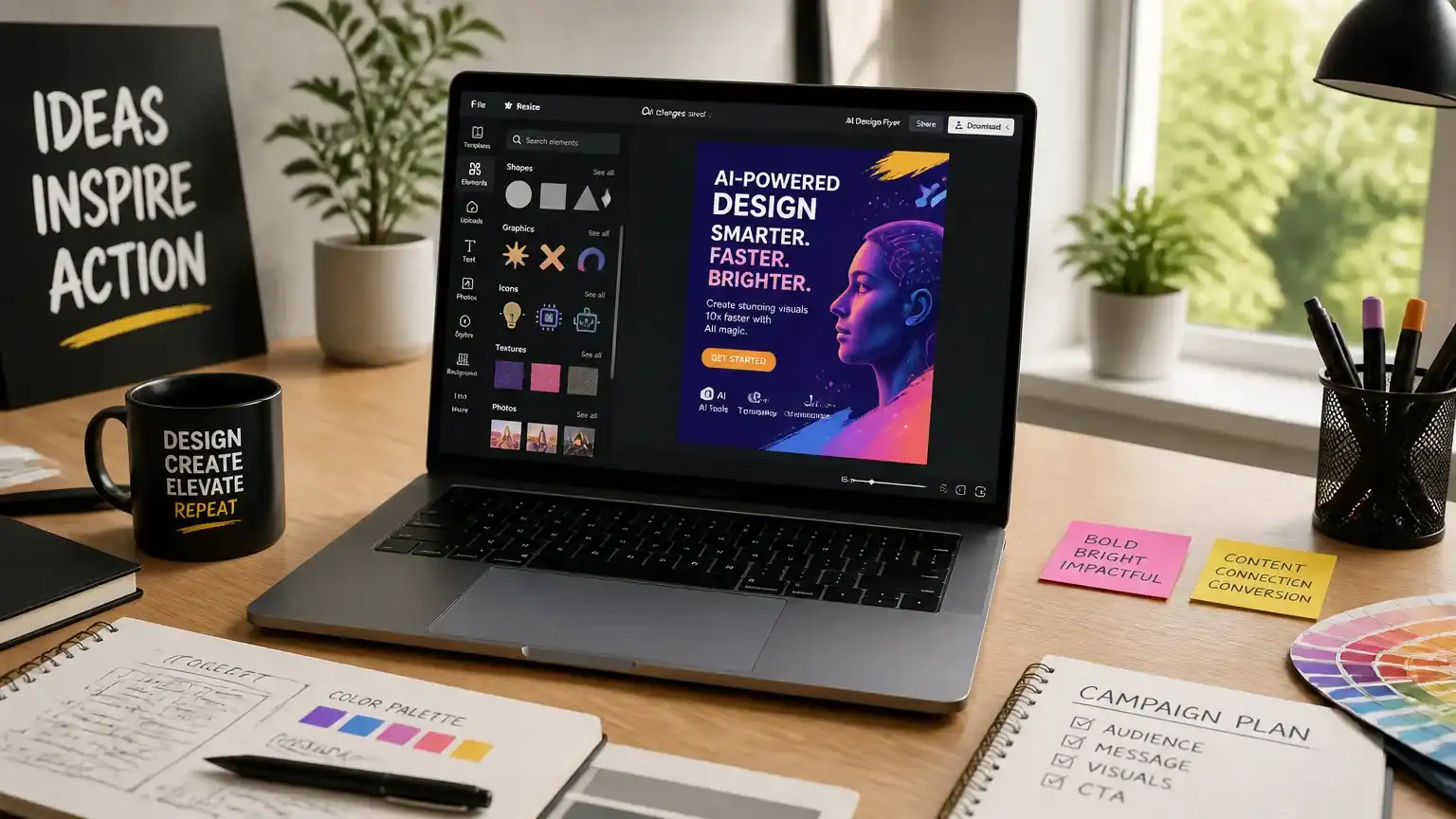
Creating a flyer with AI has become a game-changer for marketers and business owners alike. Imagine having a design assistant that never tires, always knows the latest trends, and can whip up stunning visuals in minutes. That’s the power of AI!
Gone are the days when you needed to be a design whiz to make eye-catching flyers. AI tools streamline the design process, allowing even the most creatively challenged among us to produce professional-looking materials. Think of it like having a magic wand that transforms your ideas into beautifully crafted designs without the hassle.
AI-generated flyers also have a leg up over traditional methods. They can analyze audience preferences and tailor designs to resonate with specific demographics. For instance, if you’re targeting college students, AI can suggest vibrant colors and trendy fonts that appeal to that age group, ensuring your flyer doesn’t just get seen—it gets noticed.
In this guide, we’ll walk through the steps to harness this technology, empowering you to create a flyer with AI that stands out and drives results. So, let’s dive in and explore how you can elevate your marketing game with a touch of artificial intelligence!
Step 1: Define Your Flyer Purpose and Audience
Before you dive into the world of AI design, take a moment to define the purpose of your flyer. Are you aiming to inform, advertise, or educate? Each goal requires a different approach. For instance, an informative flyer about a community event might focus on details like time and location, while an advertising flyer for a new product should highlight benefits and a compelling call to action.
Next, let’s talk about your audience. Understanding who you’re speaking to is like knowing the secret ingredient in a recipe—it can make all the difference. Analyze your target demographics: what is their age, what are their interests, and what needs do they have? For example, a flyer targeting college students might use trendy visuals and casual language, while one aimed at professionals could adopt a more polished, straightforward tone.
Once you’ve nailed down your audience, it’s time to define your key messages. Think about what resonates with them. If you’re promoting a new fitness class, consider emphasizing community and wellness. A catchy slogan like “Join the Fun, Feel the Burn!” could hit home for your active audience.
By clearly defining your flyer’s purpose and audience, you lay a strong foundation for the next steps in the design process. This clarity will not only guide your content but also help the AI tools you use to create a flyer with AI that truly connects with your readers.
Step 2: Utilize AI Design Tools for Flyer Layout
Now that you’ve defined your flyer’s purpose and audience, it’s time to bring your vision to life. Enter AI design tools—your new best friends in the world of flyer creation. These platforms can generate stunning layouts based on your input, transforming your ideas into eye-catching visuals faster than you can say “graphic design.”
Popular AI tools like Canva, Adobe Spark, and Visme are fantastic starting points. They offer a plethora of templates tailored to various industries, so whether you’re promoting a yoga class or a tech seminar, you’ll find something that fits. Imagine walking into a bakery and being greeted by a vibrant cupcake flyer that practically sings, “Eat me!” That’s the power of a well-designed flyer, and these tools can help you create a flyer with AI that captivates your audience.
But it’s not just about aesthetics; AI tools enhance your efficiency too. They can suggest layouts, color schemes, and even fonts based on current design trends. Think of it as having a design assistant who’s always a step ahead—like having a friend who knows your coffee order before you even say it. This means more time for you to focus on crafting compelling content and strategizing your marketing efforts.
Choosing the right tool depends on your specific needs and budget. If you’re looking for something user-friendly and free, Canva is hard to beat. For those willing to invest a bit more for advanced features, Adobe Spark offers flexibility and sophistication. You can explore a comprehensive list of options in the AI tools directory to find the perfect fit for your project.
In a world where time is money, leveraging AI design tools allows you to create a flyer with AI that not only looks great but also saves you precious hours. So, let your creativity flow and watch as these tools help you elevate your flyer game to new heights!
Step 3: Craft Compelling Text Using AI
Now that you’ve laid a solid foundation for your flyer, it’s time to turn your attention to the text. This is where AI can really shine, helping you craft headlines and calls-to-action that not only catch the eye but also resonate with your audience.
Imagine you’re trying to sell a new coffee blend. Instead of staring at a blank screen, you can use AI tools to generate headlines like “Awaken Your Senses with Our Bold Brew!” or “Experience Coffee Like Never Before!” These attention-grabbing phrases can make your flyer pop off the page, much like a hot cup of coffee on a Monday morning.
When it comes to persuasive language, AI can analyze successful copy from various industries. It learns what makes people tick—think of it as your personal marketing psychologist. You can prompt the AI with specifics about your product, and it’ll suggest phrases designed to evoke emotion and urgency. For instance, “Limited Time Offer: Sip, Savor, and Save!” creates a sense of urgency that’s hard to resist.
But it’s not just about catchy phrases; the tone and style matter too. If your brand is quirky and fun, let the AI reflect that in its suggestions. Ask for text that embodies your brand’s personality, whether that’s playful, sophisticated, or somewhere in between. For example, if you’re promoting a yoga retreat, the AI might suggest, “Find Your Zen—Join Us for a Weekend of Relaxation!” This aligns perfectly with a calming, wellness-focused brand.
Don’t forget about your calls-to-action (CTAs). These are your golden tickets to conversion. Phrases like “Sign Up Now!” or “Grab Your Spot Today!” should be clear and compelling. AI can help you test different variations to see which ones perform best, allowing you to refine your approach based on real-time feedback.
By leveraging AI to craft compelling text, you’re not just creating a flyer with AI; you’re creating a marketing tool that engages and converts. Let the technology do the heavy lifting, so you can focus on what matters most: connecting with your audience.
Step 4: Choose Perfect Images and Graphics
An effective flyer is like a great sandwich: it’s all about the right layers. While your text serves as the meat, visuals add that delicious crunch. Selecting the right images and graphics can enhance your flyer’s message and make it pop. Here’s where AI steps in, ready to be your sous-chef in the design kitchen.
First, you’ll want to decide between stock images and custom graphics. Stock images are a quick fix—think of them as the pre-packaged salad at the grocery store. They can be effective but often lack that personal touch. On the other hand, custom graphics created with AI tools allow you to tailor visuals specifically to your flyer’s theme. Imagine crafting a unique illustration that speaks directly to your audience—now that’s a gourmet meal!
AI also shines in photo editing and enhancement. Using AI-powered tools, you can adjust colors, remove backgrounds, or even add filters that transform an ordinary picture into a stunning visual. It’s like having a professional photographer on speed dial. For instance, if you’re promoting a local event, you can easily enhance the vibrancy of your images to evoke excitement and anticipation.
When integrating images with your flyer content, aim for seamlessness. Use visuals that complement your text, not compete with it. For example, if your flyer discusses a summer sale, choose bright, sunny images that reflect the season. Place visuals strategically near relevant text to guide the reader’s eye, just like a well-placed sign at a busy intersection.
Lastly, always keep your audience in mind while selecting visuals. The right image can evoke emotion and drive action. If you’re unsure, consider leveraging AI fraud detection software to analyze what types of visuals resonate best with your target market. This way, you can create a flyer with AI that truly connects.
With these tips, you’re well on your way to creating a flyer that not only looks fantastic but also communicates effectively.
Step 5: Review and Refine with AI Feedback
Now that your flyer is looking sharp, it’s time for the AI to play its role as your design mentor. Just like a wise friend who tells you when your outfit doesn’t match, AI tools can provide real-time feedback on your design elements. They can evaluate color schemes, font choices, and even layout balance, helping you spot any design faux pas before you hit “print.”
Imagine you’ve created two versions of your flyer: one with a bright, eye-catching color scheme and another with a more subdued palette. Instead of guessing which one will resonate better, you can use A/B testing to present both to a sample audience. AI can analyze the responses, giving you insights into which design grabs attention and which one, well, puts people to sleep faster than a lullaby.
But don’t stop there! Dive into the analytics to see how each version performs. Are people clicking on your call-to-action? Are they sharing it with friends? This data is gold. It can inform last-minute adjustments, ensuring your flyer not only looks great but also drives results.
Think of AI as your marketing sidekick, always ready to offer suggestions. By refining your flyer based on AI feedback, you’ll create a flyer with AI that not only stands out but also performs like a well-oiled machine in the wild world of marketing.
Conclusion and Next Steps
In conclusion, using AI to create a flyer can revolutionize your marketing efforts, blending efficiency with creativity. Imagine having a trusty assistant that helps you whip up eye-catching designs in a fraction of the time. With the right AI tools, you can craft flyers that not only grab attention but also resonate deeply with your audience.
As you move forward, don’t hesitate to experiment with various AI design applications. Just like trying out different ice cream flavors, you might discover a combination that’s a perfect fit for your brand. Take the time to play around with features, templates, and styles until you find your unique voice.
For those eager to expand their knowledge, there are plenty of resources available to further explore AI applications in marketing. One insightful read is about how Automated Writing Tools Reshape Writing 2026, which can complement your flyer efforts by enhancing your content strategy.
So, roll up your sleeves and dive into the world of AI flyer creation. Your next standout marketing piece is just a few clicks away!
Related Articles
Unlock Your Creativity: Top AI-Powered Design Tools for Marketers
In a world where attention spans are shorter than a TikTok video, the need for creativity in marketing and design is more crucial than ever. Enter AI-powered…
Read more
Are Your Animated Graphics for Social Media Working?
Animated graphics can transform your social media performance. Learn how to use them effectively to increase engagement, visibility, and impact.
Read more
Why Artists Love a Lossless Image Optimizer
A lossless image optimizer helps artists and photographers enhance image quality without sacrificing detail. Discover how this powerful tool improves performanc…
Read more